













HomeDocumentation
Dashboard
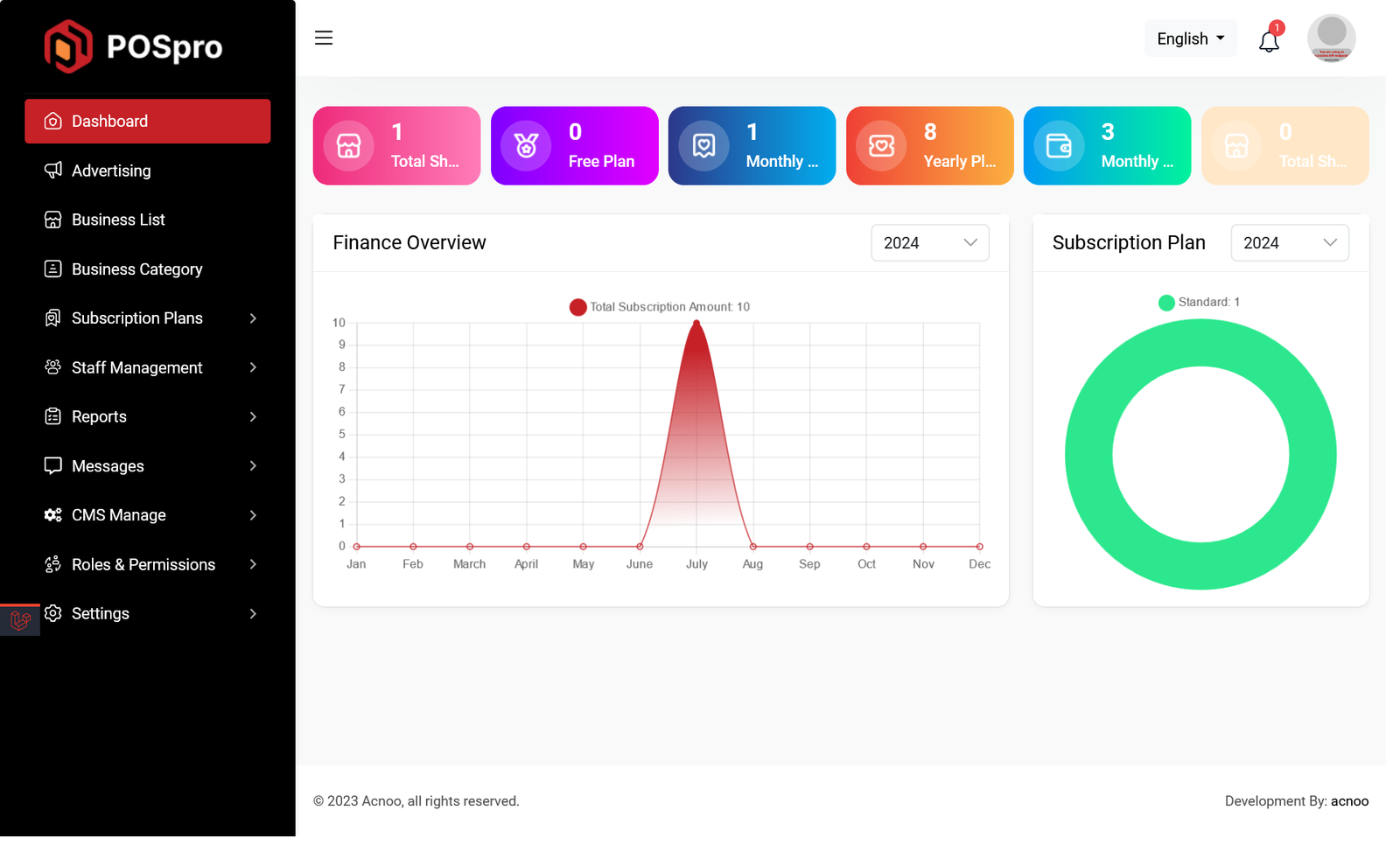
This is the admin dashboard page. The essential information regarding the project are displayed here.
Advertising Section
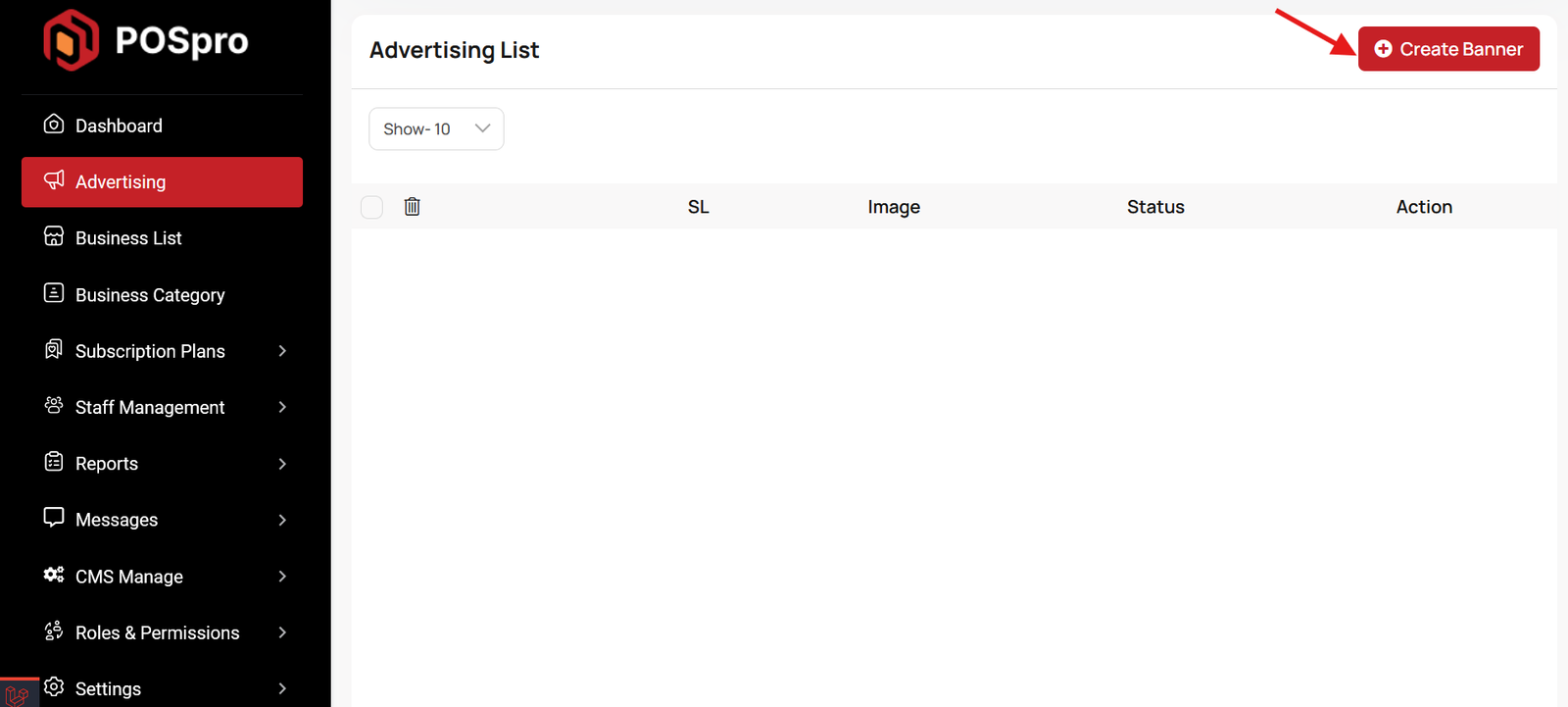
This list allows you to see the current advertising campaigns with status. To create a new advertise, you can click on the "Create Banner" button at the top right of the screenshot. A pop-up window will open, where you can add an image and change the status.
Articles in this section
- Getting Started
- Requirements
- Download Project from Envato
- Creating Database
- Uploading Files
- Installation Wizard
- Default Password
- Dashboard
- Advertising Section
- Business List
- Business Category List
- Subscription Order List
- Custom Domain List
- Plan List
- Staff List
- Subscription Report
- Message List
- CMS Manage
- Roles & Permissions
- Add ons
- Setting
- Mail Configuration / SMTP Setup
- Hostinger Panel
- Gmail
- Admin Change Logs & Update Guide
FAQ (Frequently Asked Questions)
Was this documentation helpful?
0 out of 0 found this helpful