













HomeDocumentation
Property List
Property List
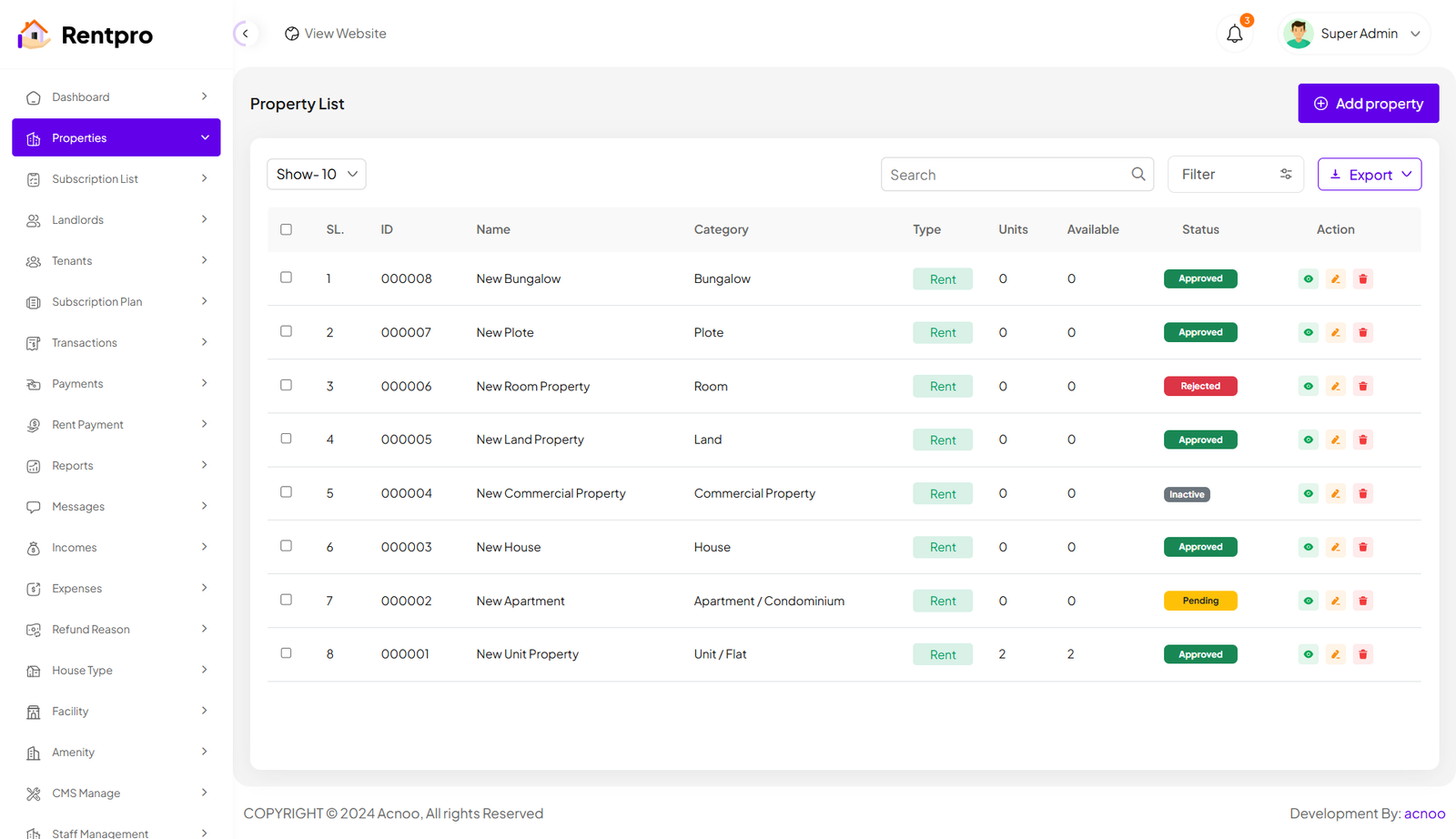
The "Properties" page in the Rentpro admin panel provides a centralized view and management interface for all properties listed on the platform. This page allows administrators to monitor property details, status, and perform administrative actions. By clicking the "View" button, you can see the details of each property. You can also create a new property by clicking the "Add Property" button. Below, we'll describe how you can create a new property.
Add New Property
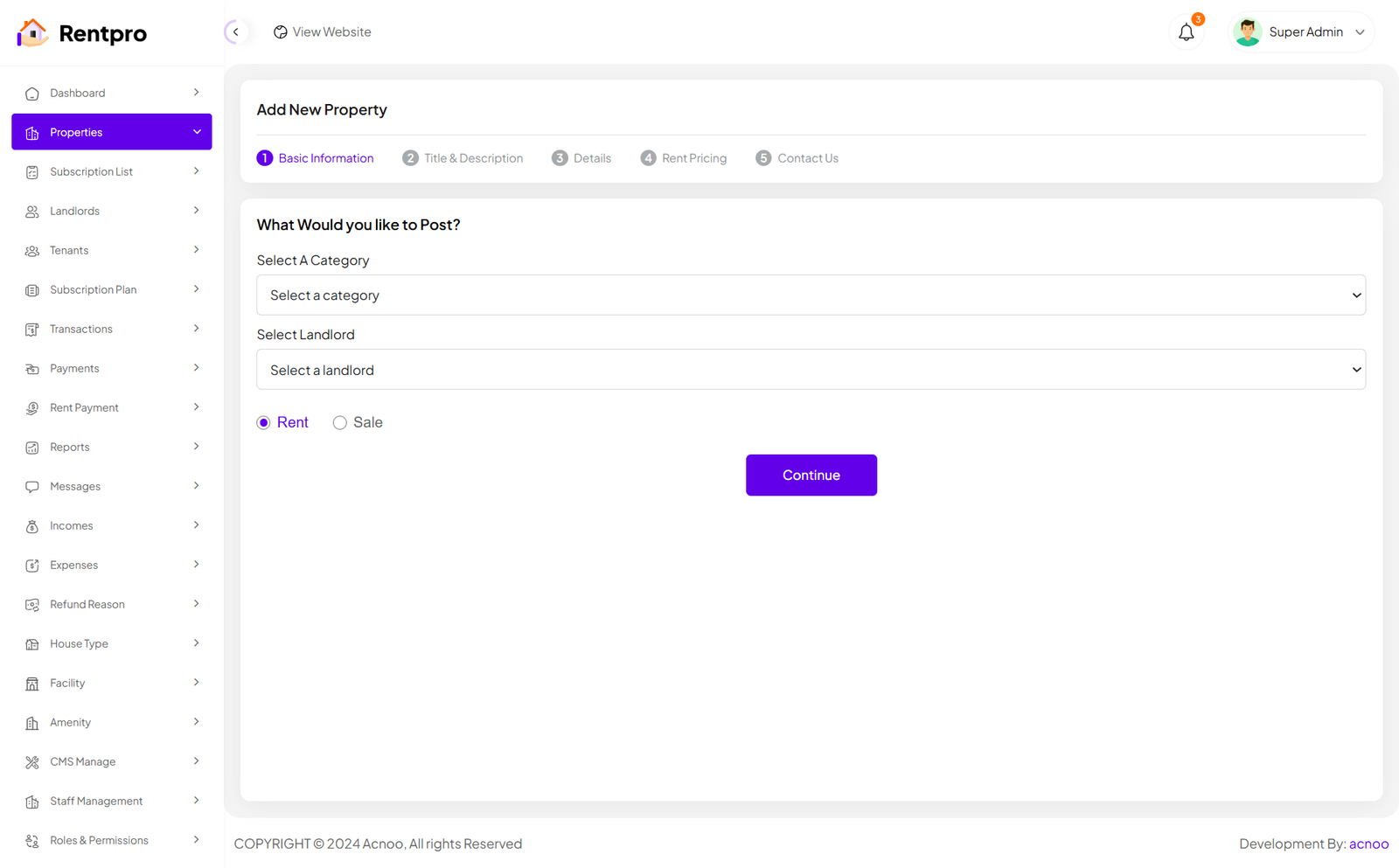
By clicking on the "Add property" button, you can create a new property. You will need to fill in the necessary fields. Here is the screenshot of the Create Property page. In the first screenshot, the input fields will change according to the selected category. Specifically, if you select the "Unit/Flat" category, the input fields will change significantly. Additionally, in the first screenshot, there is a "Type" field with options "Rent" and "Sale." Selecting either of these will only affect the Rent Pricing section, while the rest of the fields will remain unchanged.
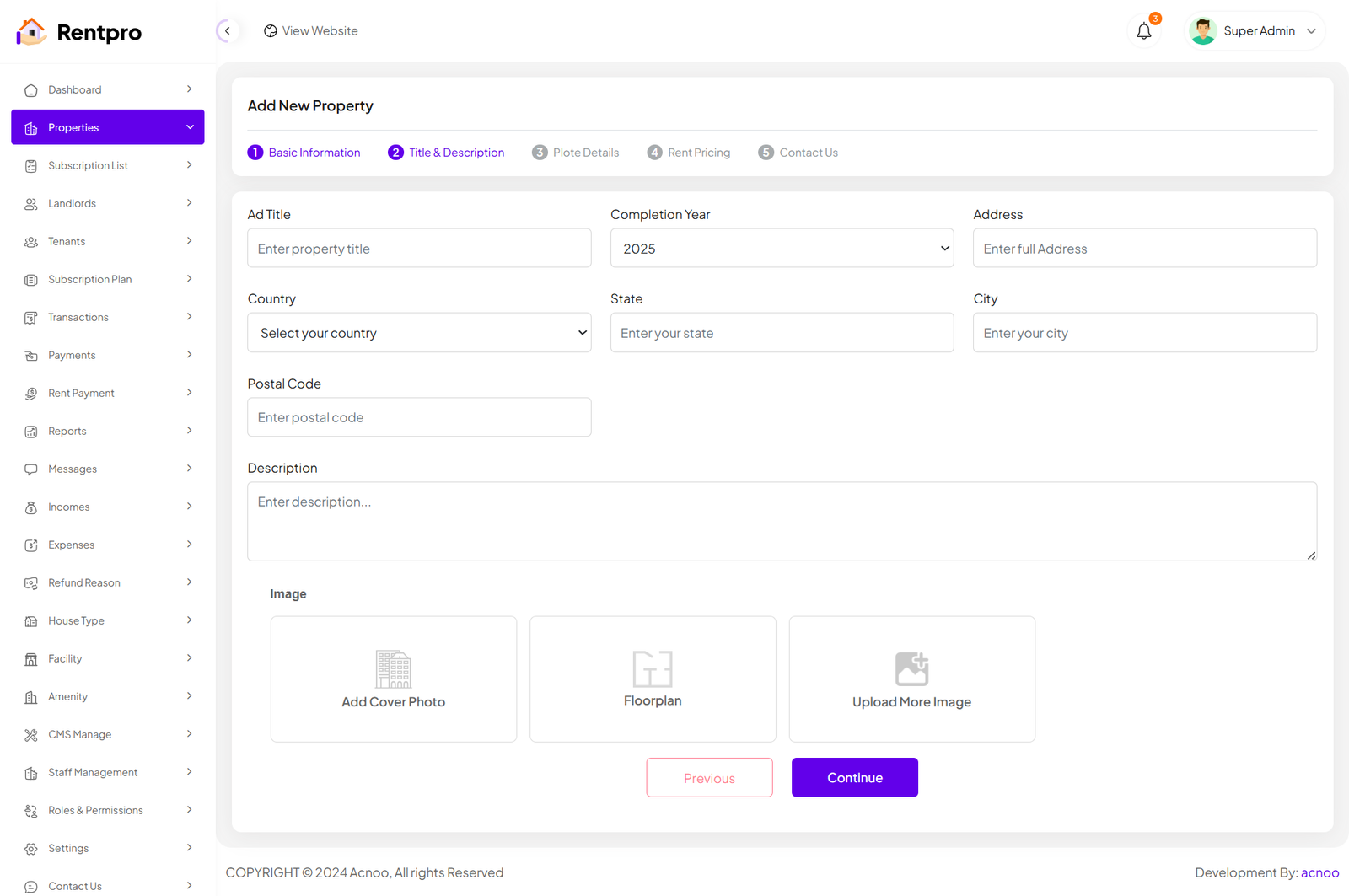
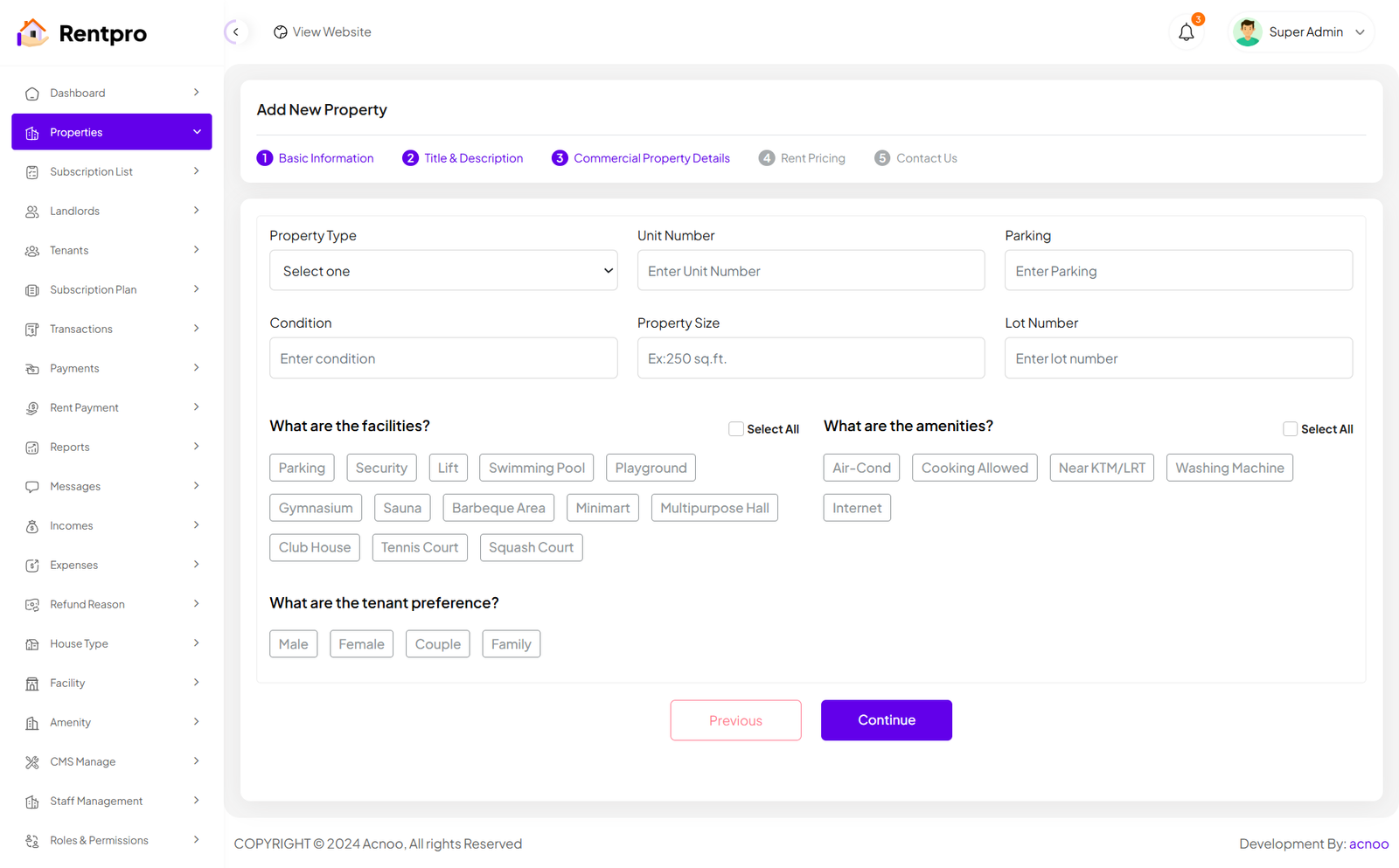
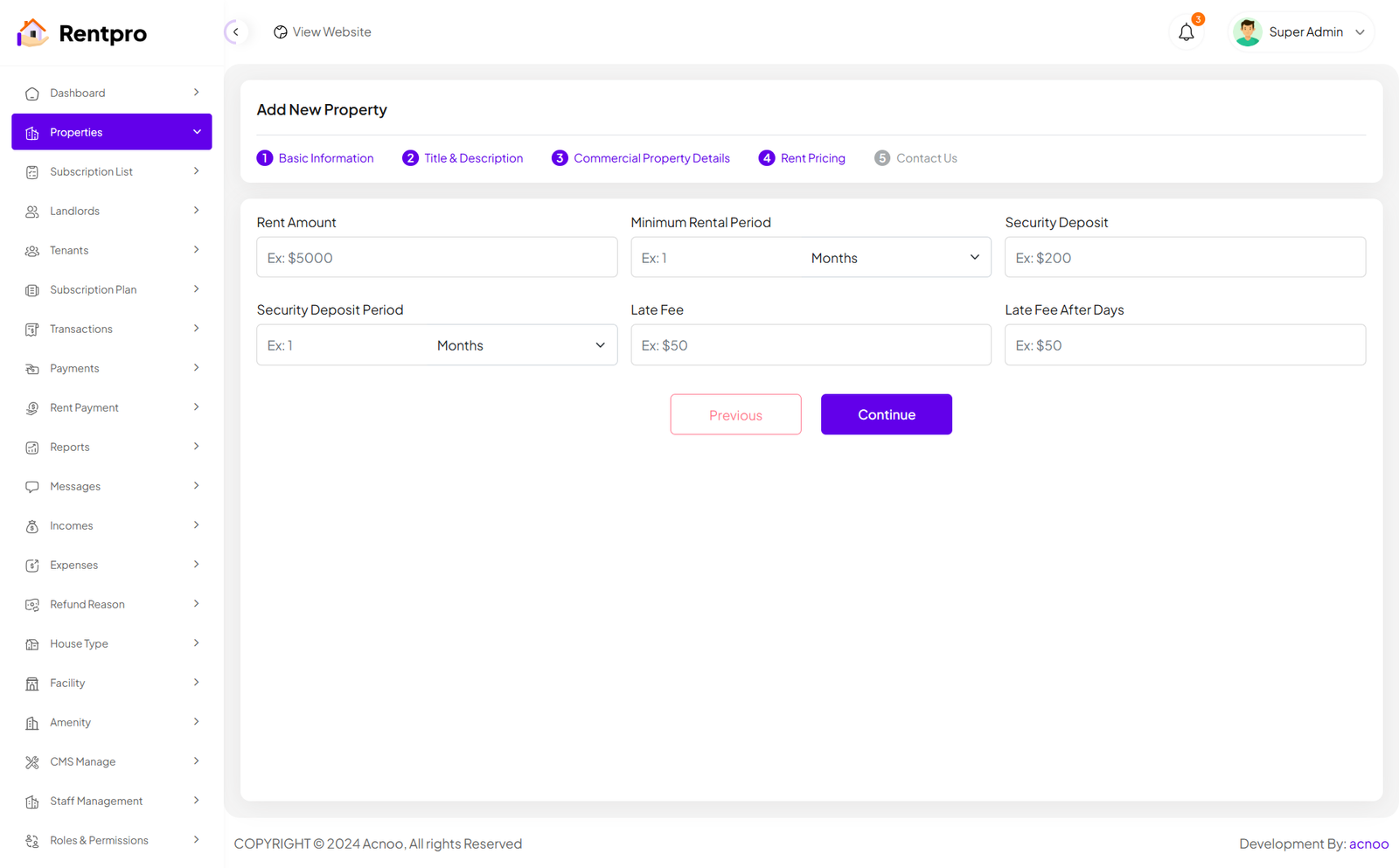
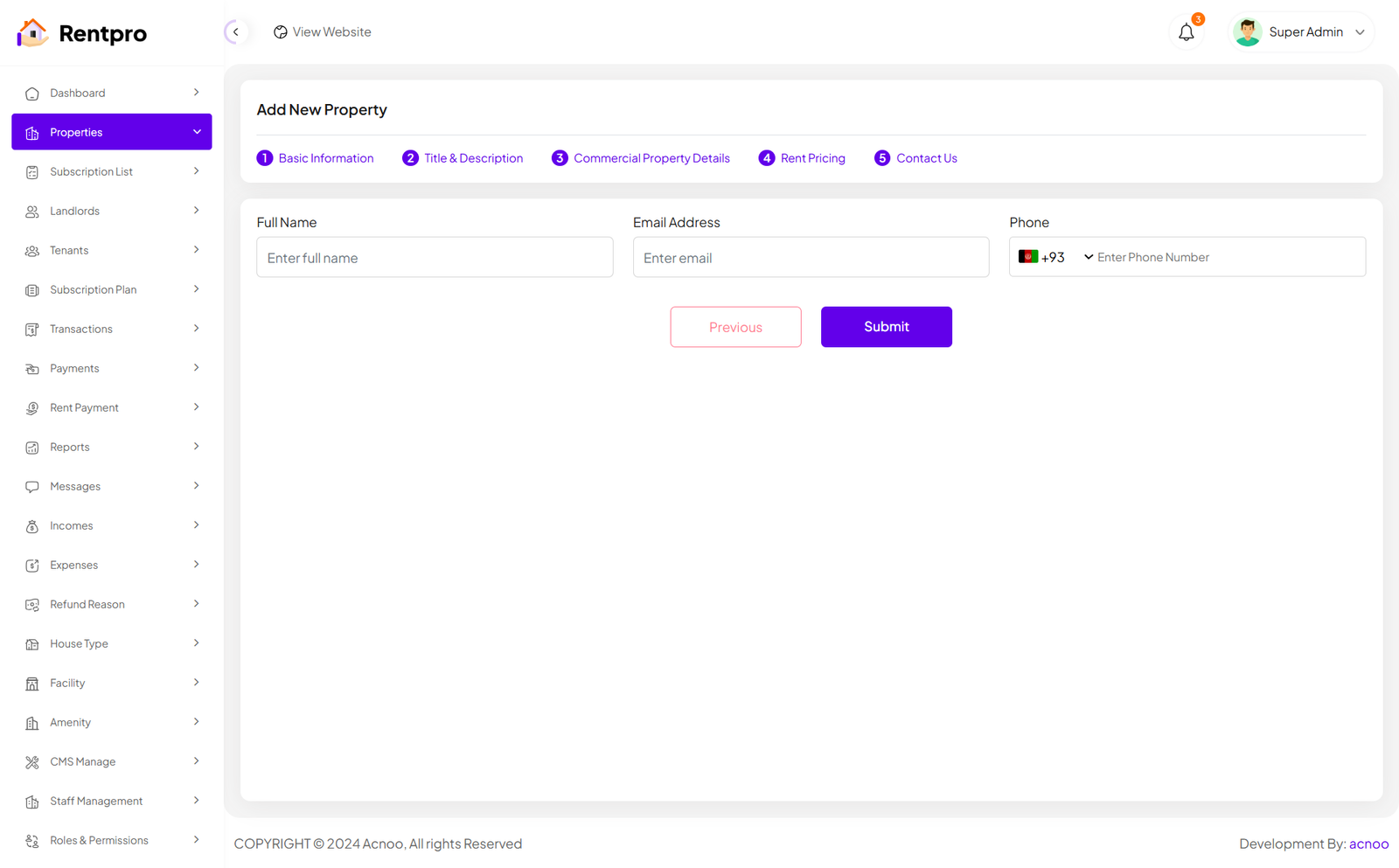
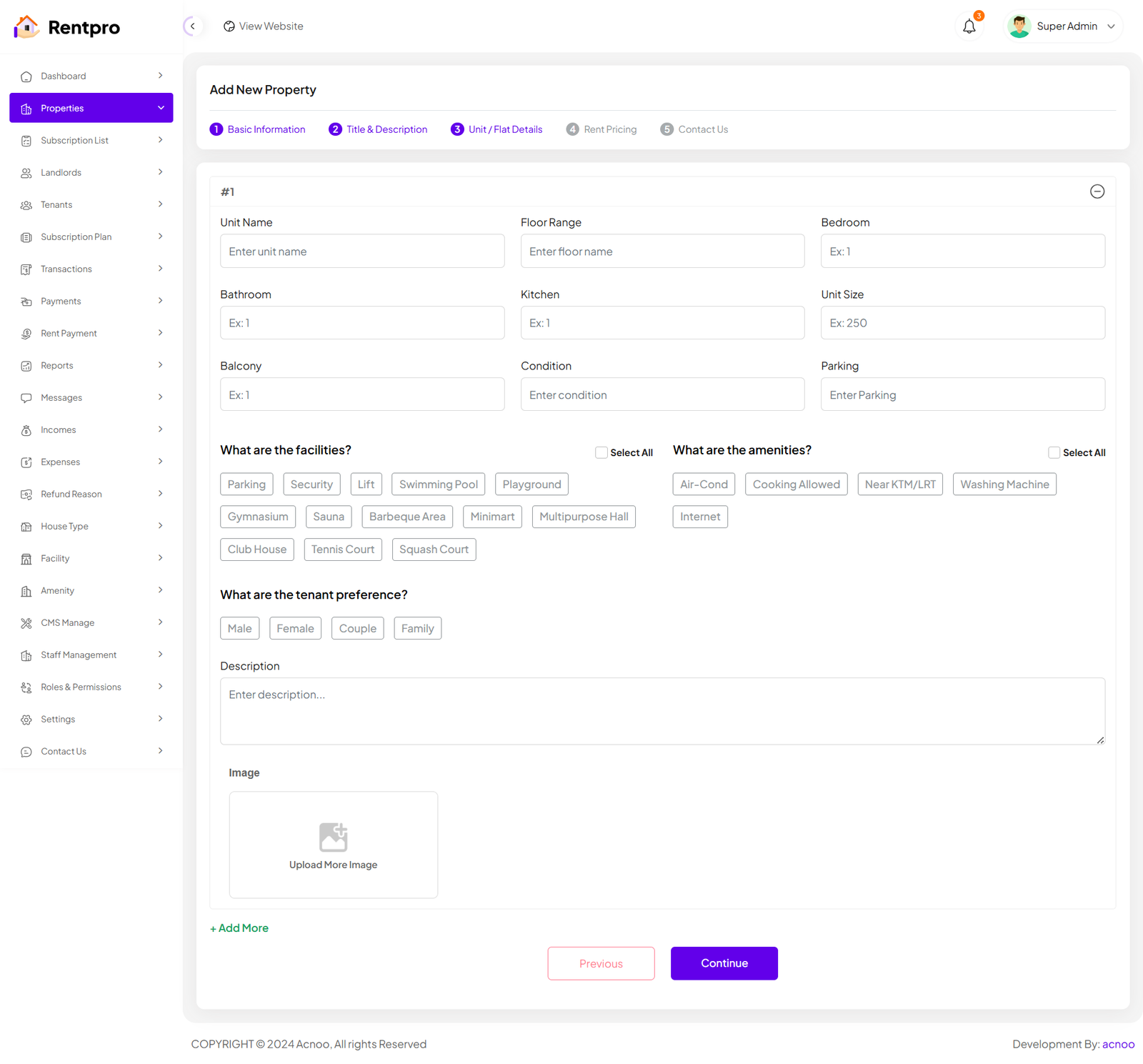
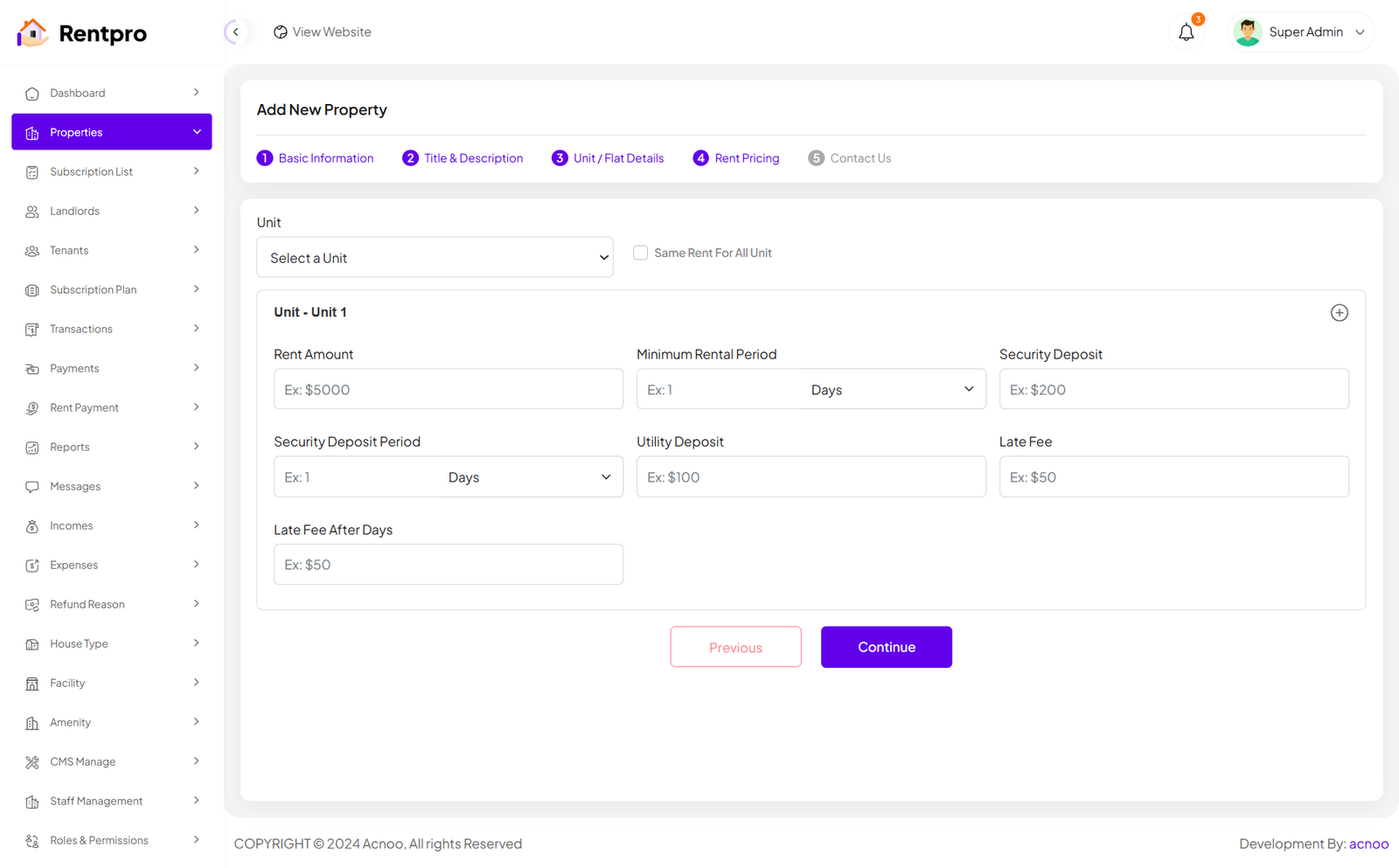
When the category is "Unit/Flat," the input fields on the Details and Pricing pages will update accordingly. Additionally, you can click the green "Add More" button to add more units as needed, according to your preference.
View Property
There are two types of Property View pages. The view for properties with the category set as "Unit/Flat" is slightly different. In the screenshot below, I am showing both pages for comparison.
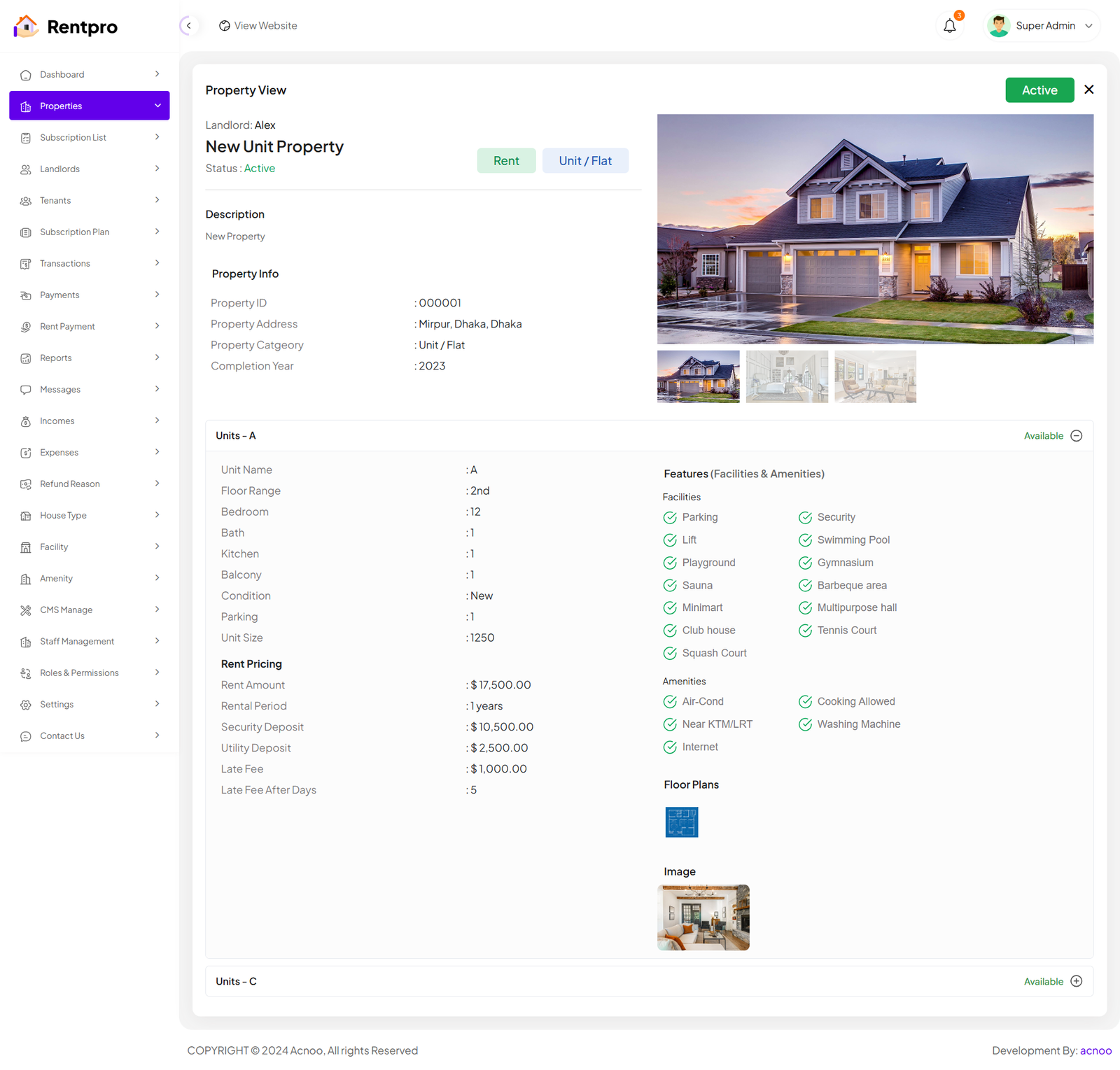
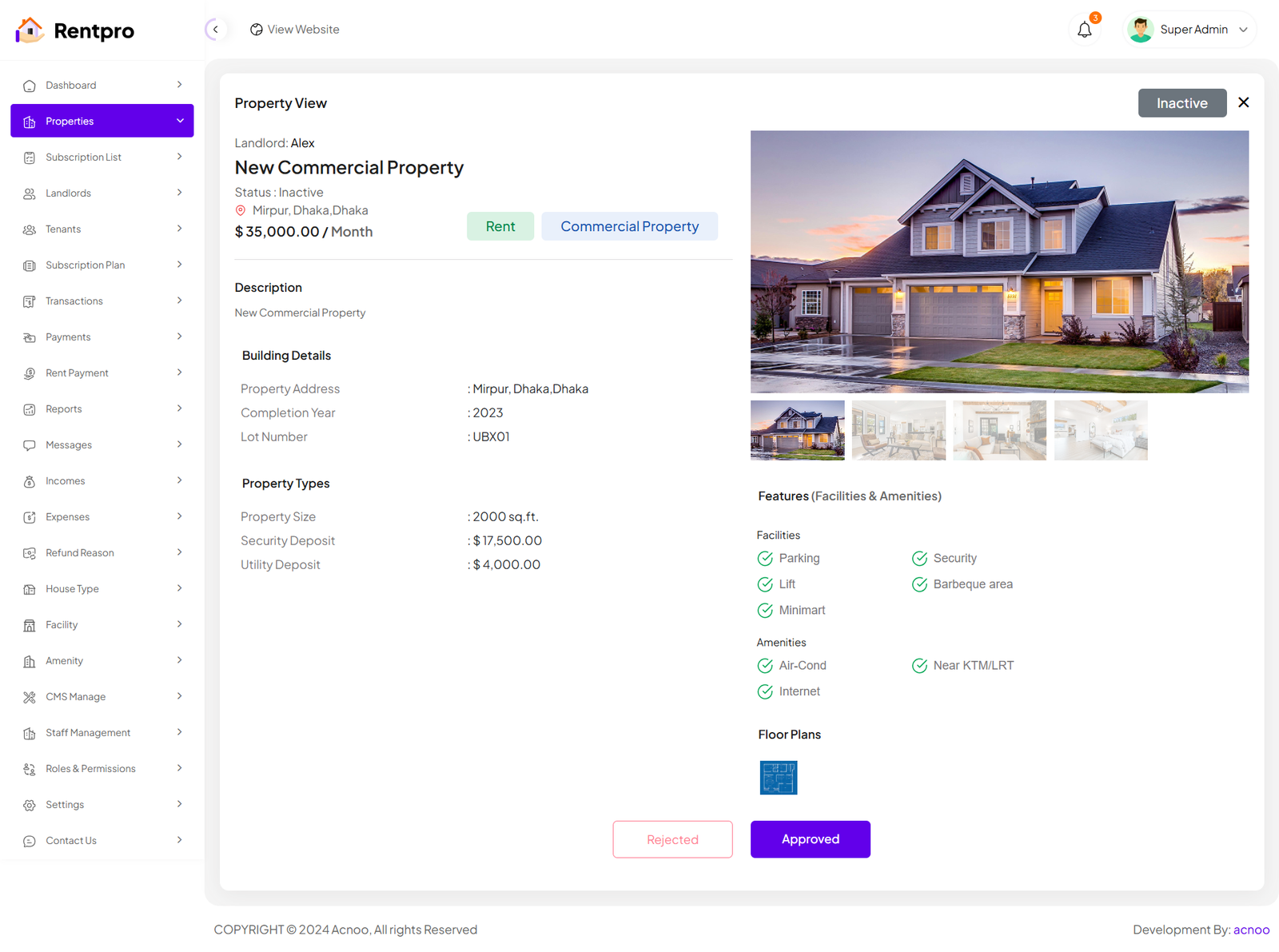
Articles in this section
- Getting Started
- Requirements
- Download Project from Envato
- Creating Database
- Uploading Files
- Installation Wizard
- Default Password
- Dashboard
- Property List
- Schedule
- Landlord List
- Tenant
- Subscription List
- Plan List
- Transaction
- Withdraw Method
- Rent Payment
- Landlord Withdraw
- Contact Message
- Income List
- Expense List
- Refund Reason List
- House Type List
- Facility List
- Amenity List
- Staff List
- Roles & Permissions
- Setting
- Contuct Us
- Mail Configuration / SMTP Setup
- Hostinger Panel
- Gmail
- Change Logs
Was this documentation helpful?
0 out of 0 found this helpful