
 Tutorial








POS Pro - Advanced POS & Inventory Management System | POS SaaS Solution
HomeDocumentation
Business List
This appears to be a screenshot of a business list page. Business list functionalities typically allow users to collect and organize information about businesses. By clicking the "View" button, you can see the details of each business. You can also create a new business by clicking the "Add New Business" button. Below, we'll describe how you can create a new business.
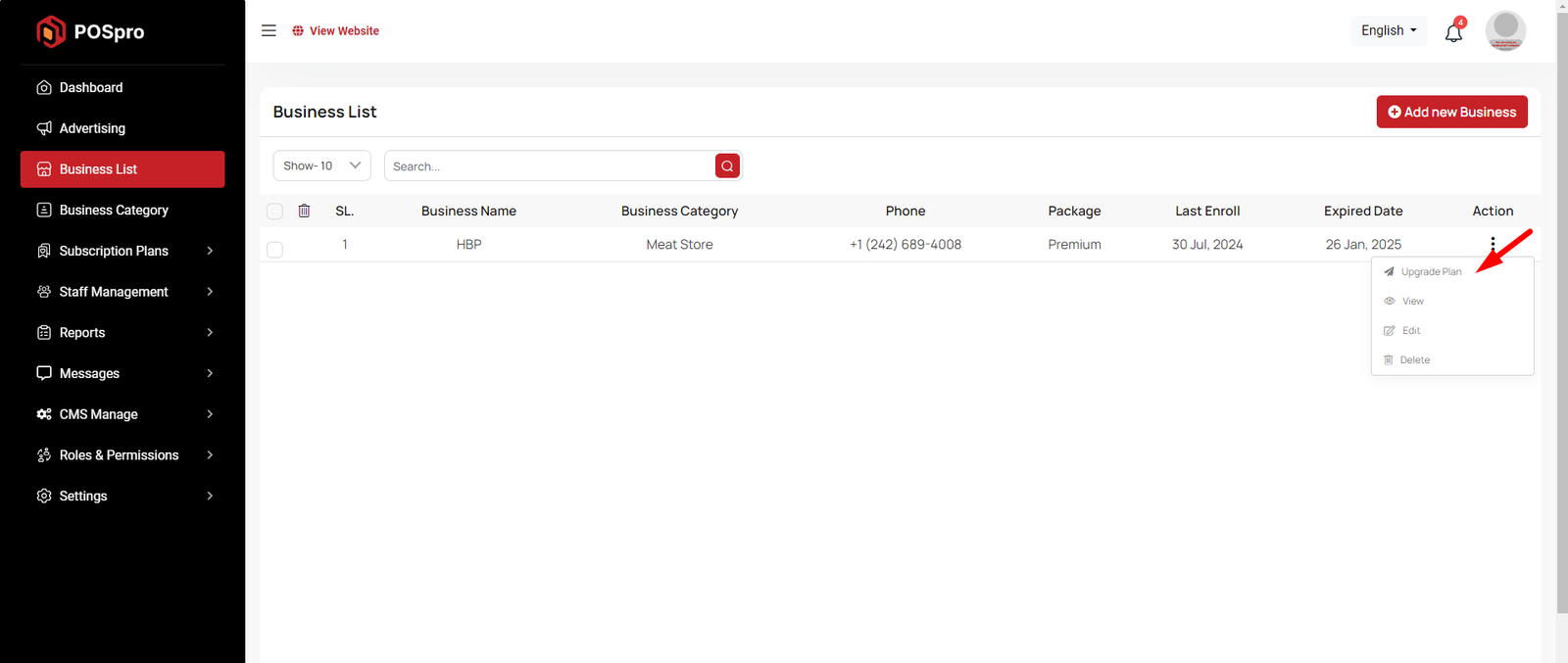
Upgrade Plan
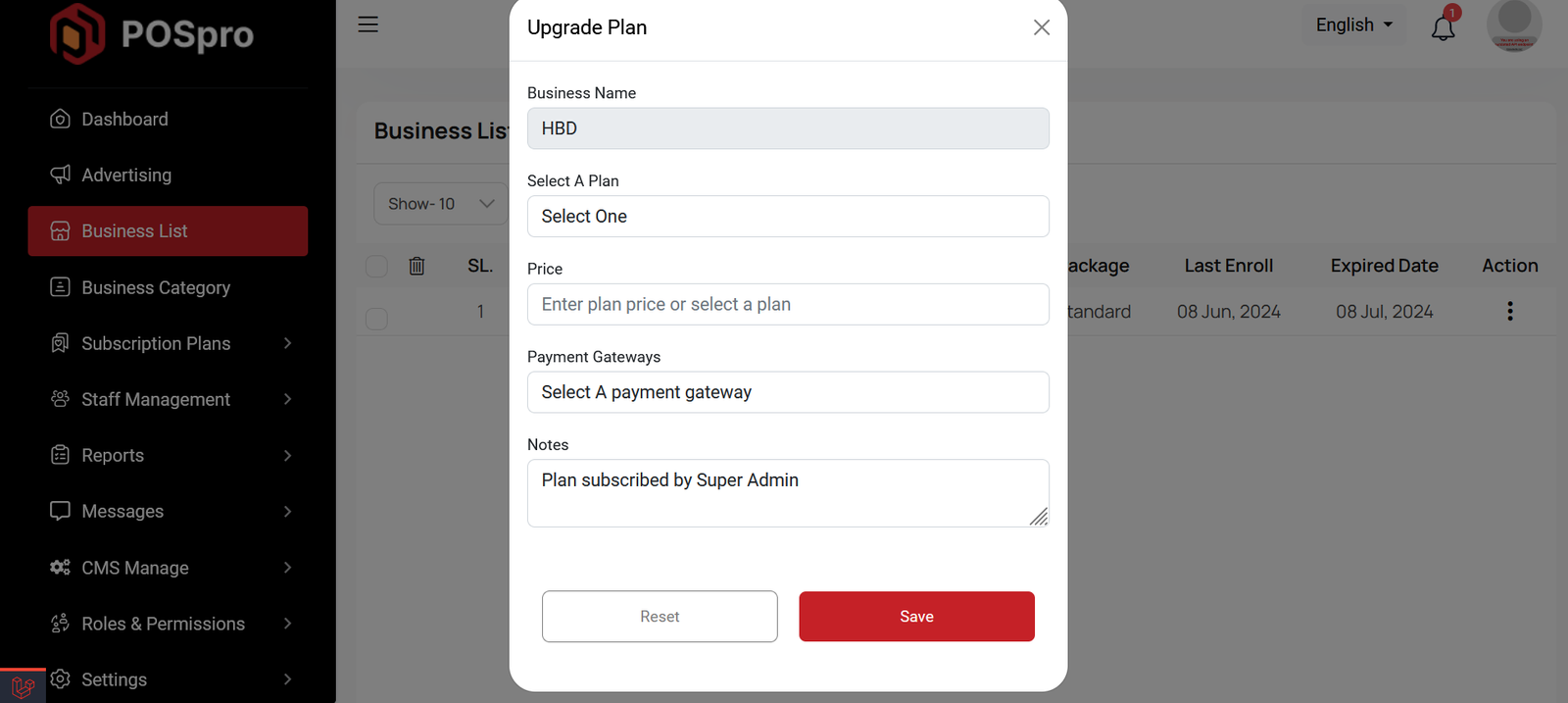
If you need to upgrade the plan for any business, click on the "Upgrade Plan" button. You will likely see a popup for this. Here, you can update the plan, gateway, price, and notes. When you select a plan, the price input field will automatically fill in according to the selected plan, but you can also change the price manually. If desired, you can add a note by filling in the notes input field.
Create Business
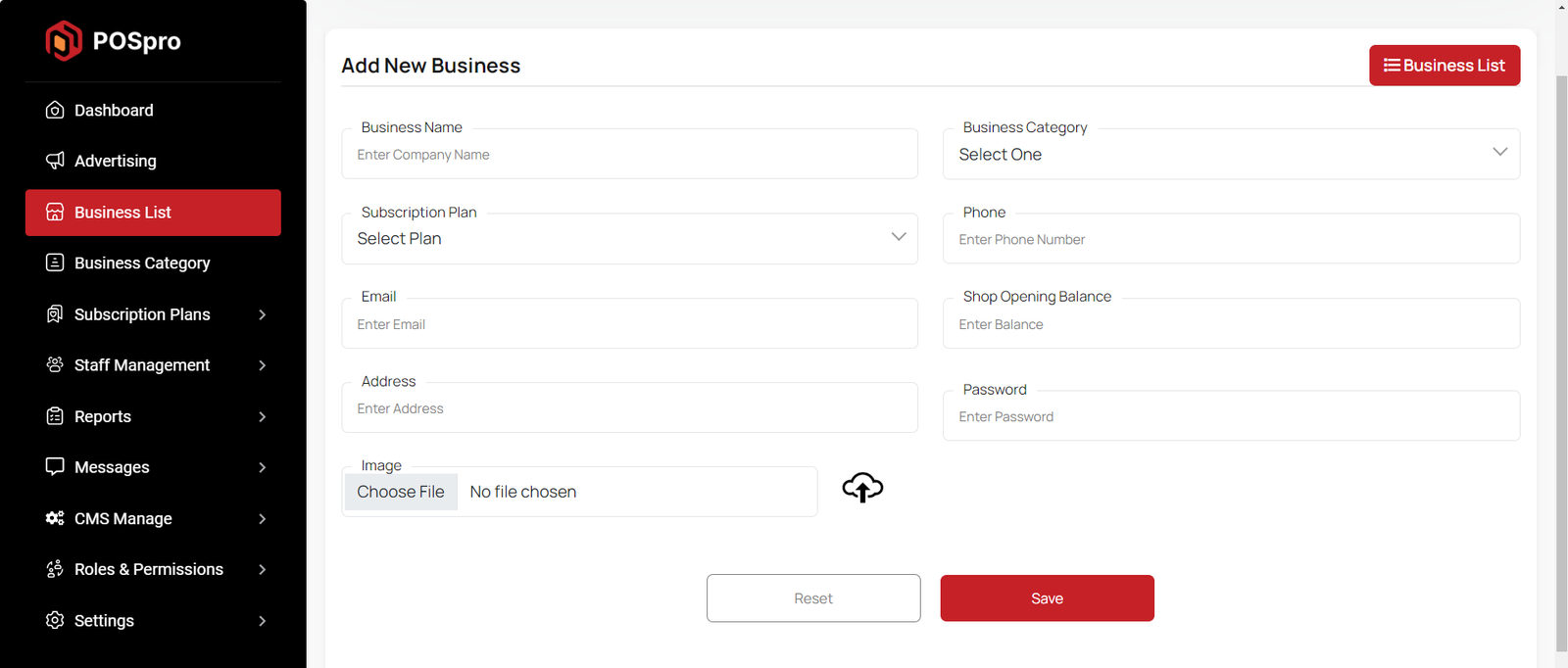
By clicking on the "Add New Business" button, you can create a new business. You will need to fill in the necessary fields. Here is the screenshot of the create business page.
Business Category List
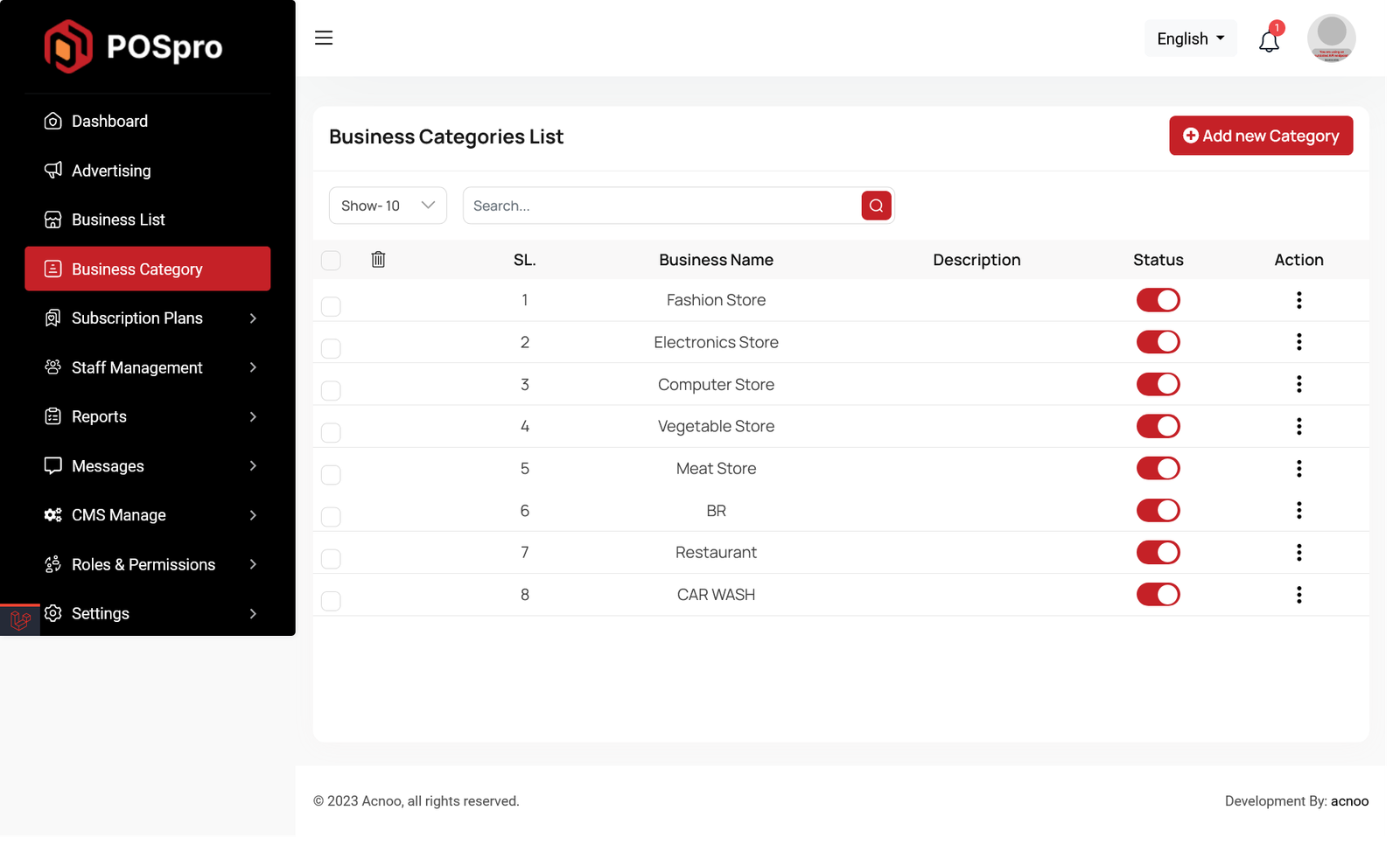
This appears to be a screenshot of a business categories list. Here, you can filter business categories, as well as edit, delete, or multi-delete them. There is also an "Add New" button for adding new business categories. To add a new business category, fill in the necessary fields. You need to enter the business name, and the description field is optional. You can also update the status from this page.
Articles in this section
- Getting Started
- Requirements
- Download Project from Envato
- Creating Database
- Uploading Files
- Installation Wizard
- Default Password
- Dashboard
- Advertising
- Business List
- Business Category
- Subscription Order List
- Custom Domain List
- Plan List
- Staff List
- Subscription Report
- Message List
- CMS Manage
- Roles & Permissions
- Setting
- Add ons
- Mail Configuration / SMTP Setup
Was this documentation helpful?
0 out of 0 found this helpful