

Acnoo
Products
Overview
Pricing
Documentation
FAQ
Change Log
Login
Acnoo
Acnoo

Acnoo Software is a leading technology company specializing in software development, mobile app development, and UI/UX design. We deliver innovative, scalable, and user-friendly solutions tailored to meet modern business needs.

Envato Achievements

Featured AuthorTop Monthly AuthorElite AuthorAuthor Level 87 Years of MembershipCollector Level 1Milestone MemberTrendsetterWeekly Top Seller

Company

  • Case Studies
  • Terms & Conditions
  • Privacy Policy
  • Contact Us
  • Why Acnoo
  • About us

Quick Links

  • Service
  • All Products
  • Hire Us
  • Refund Policy
  • Blogs
  • Support
  • Affiliate Program

Products

  • PAPOSPro – All-in-One SaaS POS, Inventory, HRM, ERP & Online Store with Flutter AppNew
  • RBRentPro Best Property & Rent Management Software with Laravel Admin with Flutter AppNew
  • GSGrocery SaaS Platform Flutter Grocery selling App with Laravel Admin Panel
  • GEGarments ERP Apparel & Textile Industrial ERP Software
  • SGSMSpro Gateway Turn Your Android Phone into a Powerful SMS/MMS Gateway (SaaS)
  • IHInfluencer Hiring Marketplace Flutter App Laravel Admin Panel
  • PSPOSpro SaaS – 16+ Add-On Modules BundleNew
  • RARestaurant App - online Food Ordering Table Booking Restaurant App with Laravel Admin Panel SaaSNew
  • APAcnoo Pharmacy - SaaS Pharmacy Management Software & Flutter App with Admin PanelNew

Copyright © 2026 Acnoo, all rights reserved.

HomeCartAccount

We use cookies to improve your experience and measure traffic. You can accept all cookies or reject non-essential ones. For details, see our Privacy Policy.

POSPro docs
Installation & Deployment
Admin Panel
  • Getting Started
  • Requirements
  • Download Project from Envato
  • Creating Database
  • Uploading Files
  • Installation Wizard
  • Default Password
  • Dashboard
  • Advertising Section
  • Business List
  • Business Category List
  • Subscription Order List
  • Custom Domain List
  • Plan List
  • Staff List
  • Subscription Report
  • Message List
  • CMS Manage
  • Roles & Permissions
  • Add ons
  • Setting
  • Mail Configuration / SMTP Setup
  • Hostinger Panel
  • Gmail
  • Admin Change Logs & Update Guide
  1. Home
  2. Products
  3. SaaS Software
  4. POSPro
  5. Documentation
  6. Creating Database

Creating Database

Before installing, you will need to create a new database. If you already know how to do this or have already created one, skip to the next step.

Note: Please use empty database. In most cases you should be able to create a database from your cpanel.

Login to your cPanel by entering this in your browser url

yourdomian.com/cpanel
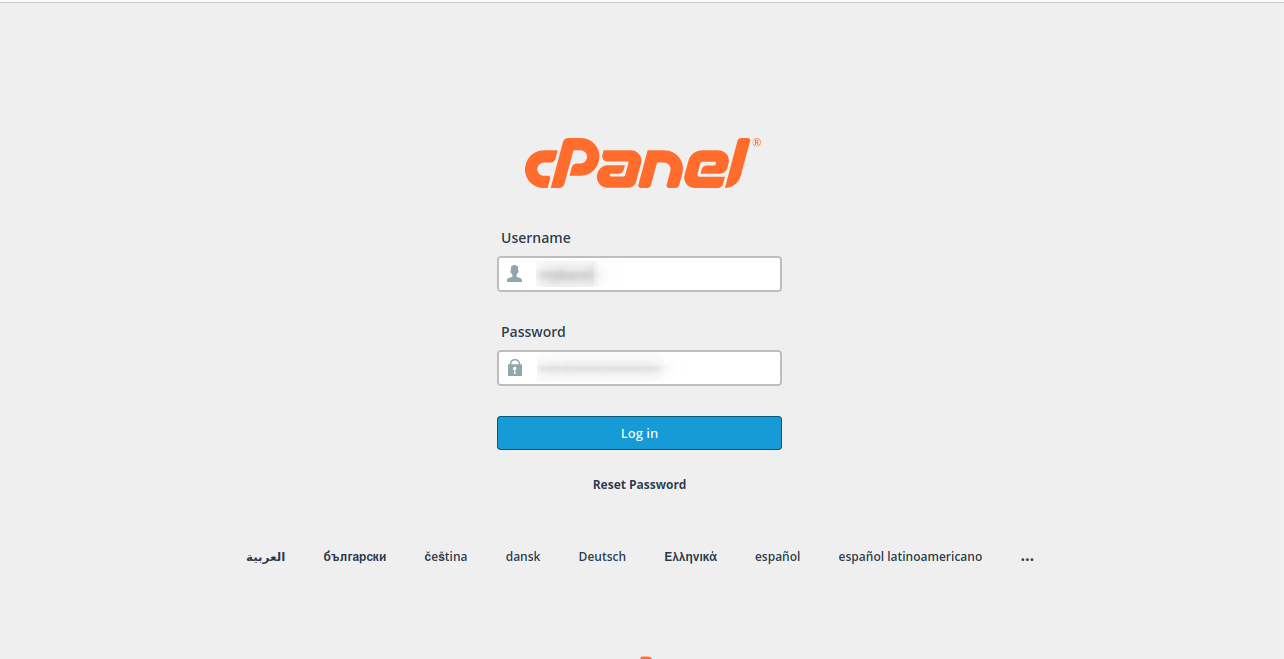
Step: 1
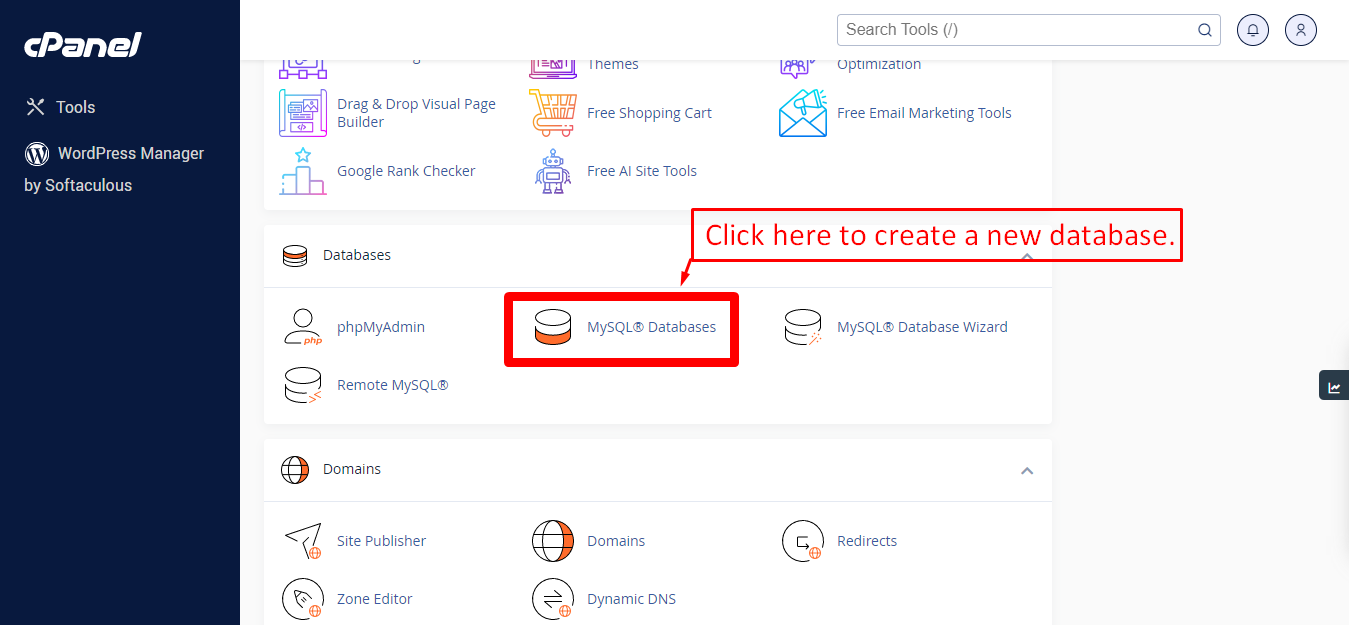
Step: 2
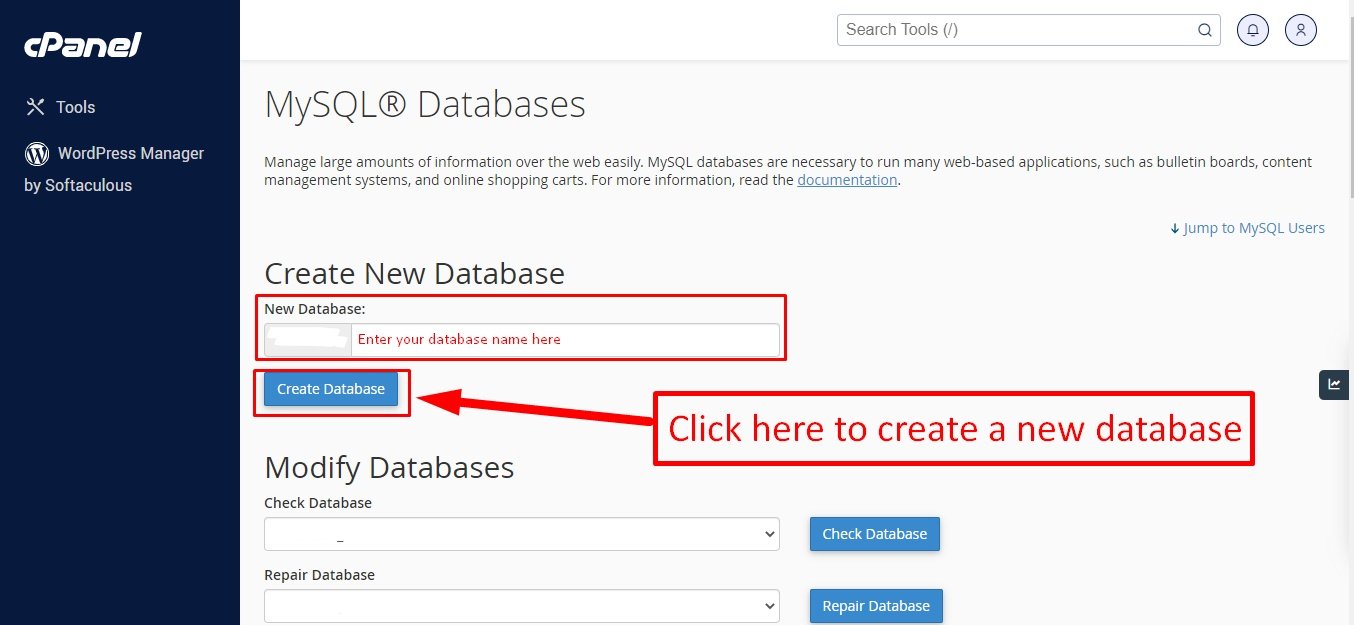
Step: 3

Now you need to create a new user. On the same page go to create a new database user
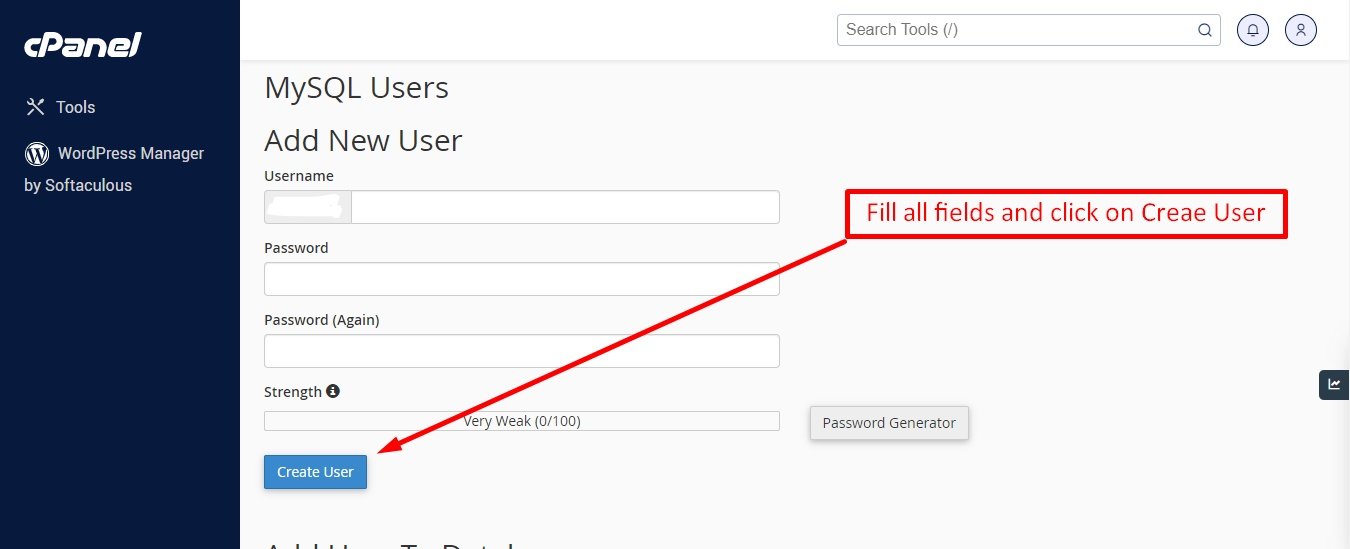
Step: 4

Now add the user to the database
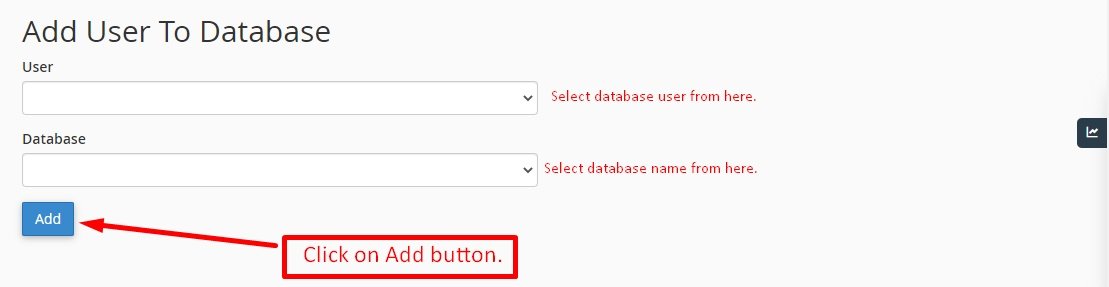
Step: 5

And select full permissions on the database to that user
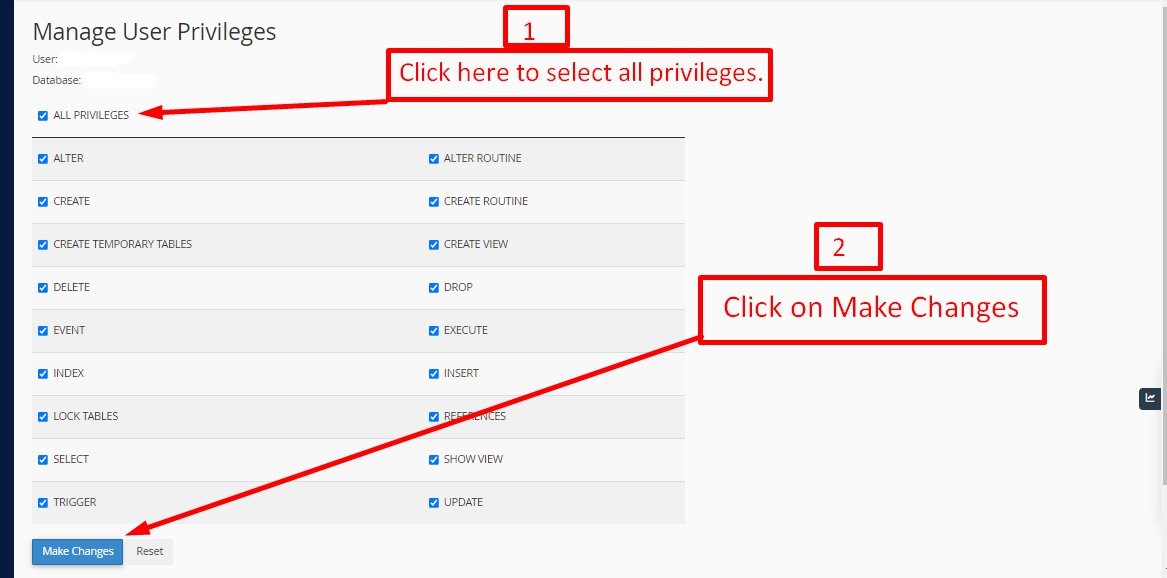
Was this guide helpful?
Stuck?Our team can set it up for you.Contact support