













HomeDocumentation
Creating Database
Before installing, you will need to create a new database. If you already know how to do this or have already created one, skip to the next step.
Note: Please use empty database. In most cases you should be able to create a database from your cpanel.
Login to your cPanel by entering this in your browser url
yourdomian.com/cpanel
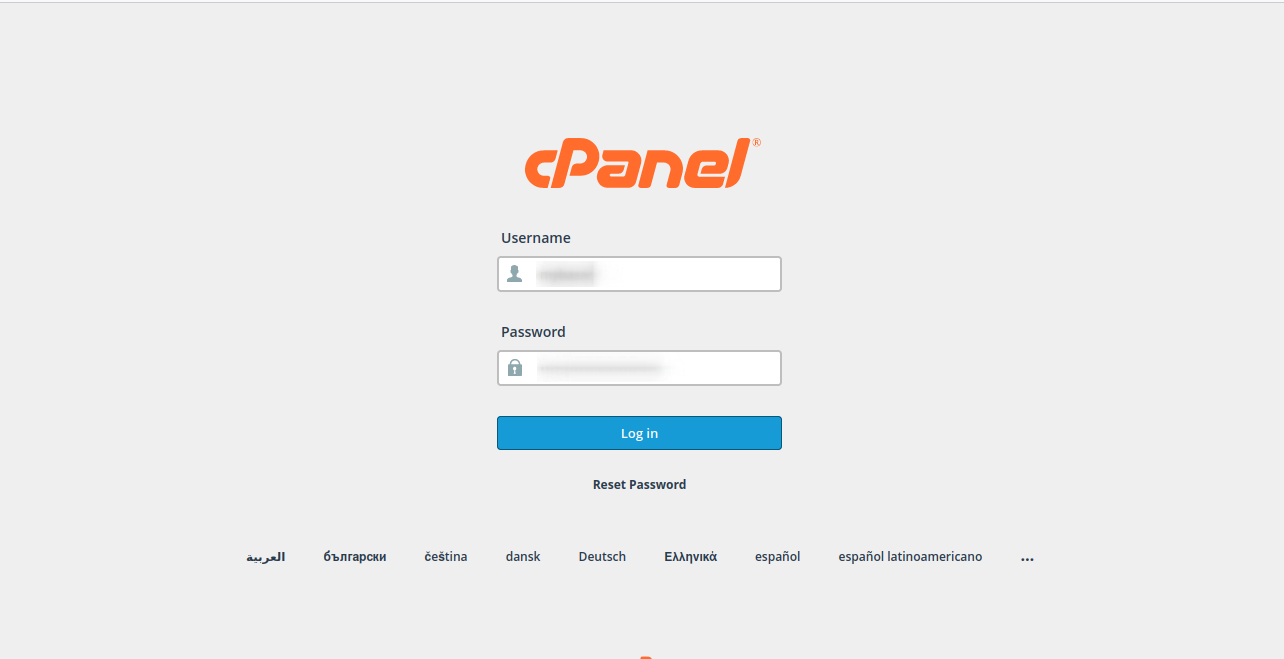
Step: 1
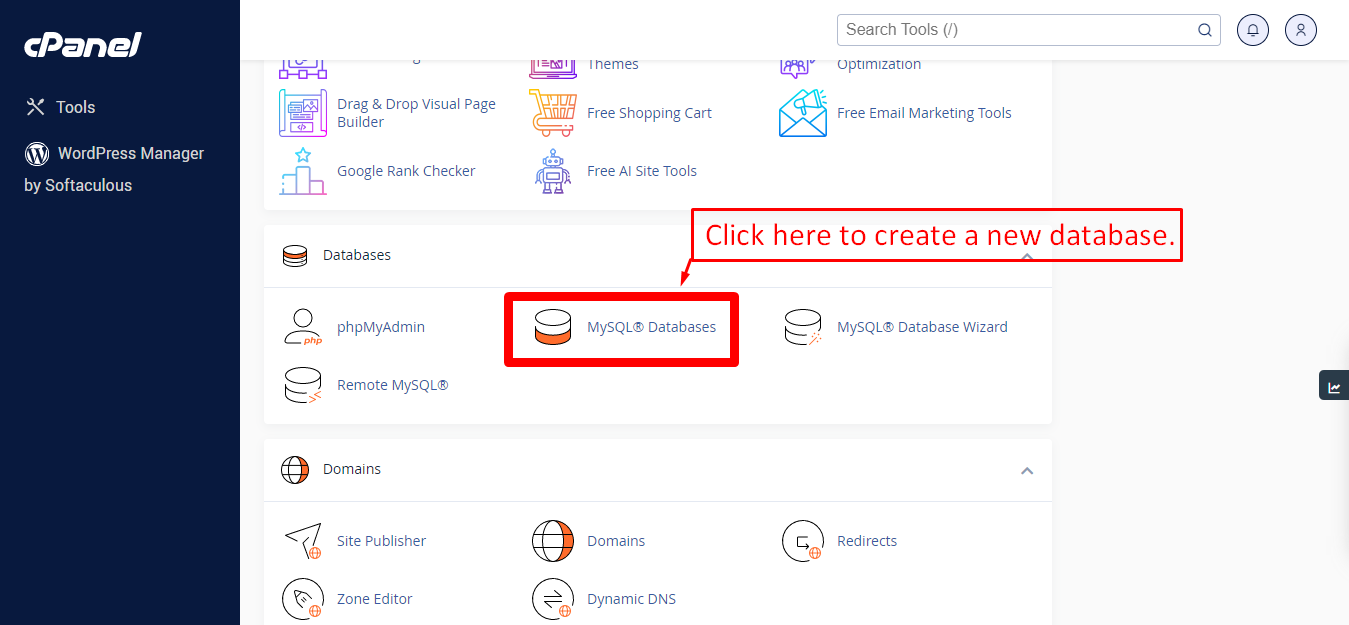
Step: 2
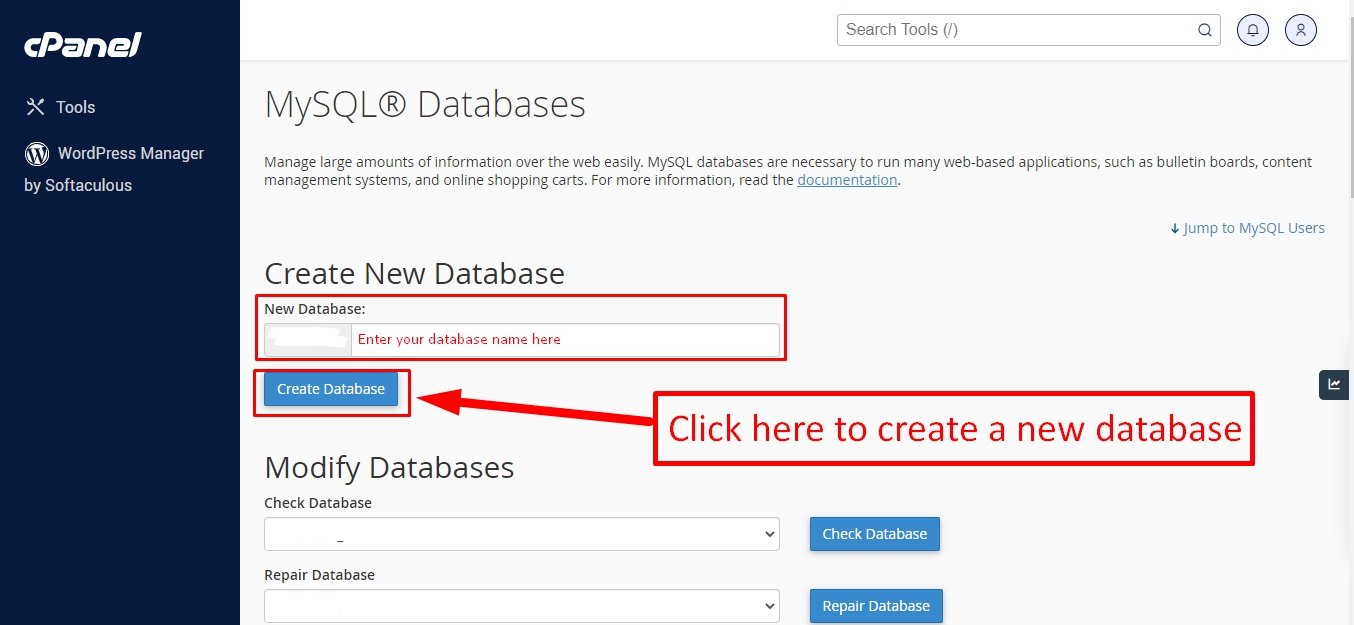
Step: 3
Now you need to create a new user. On the same page go to create a new database user
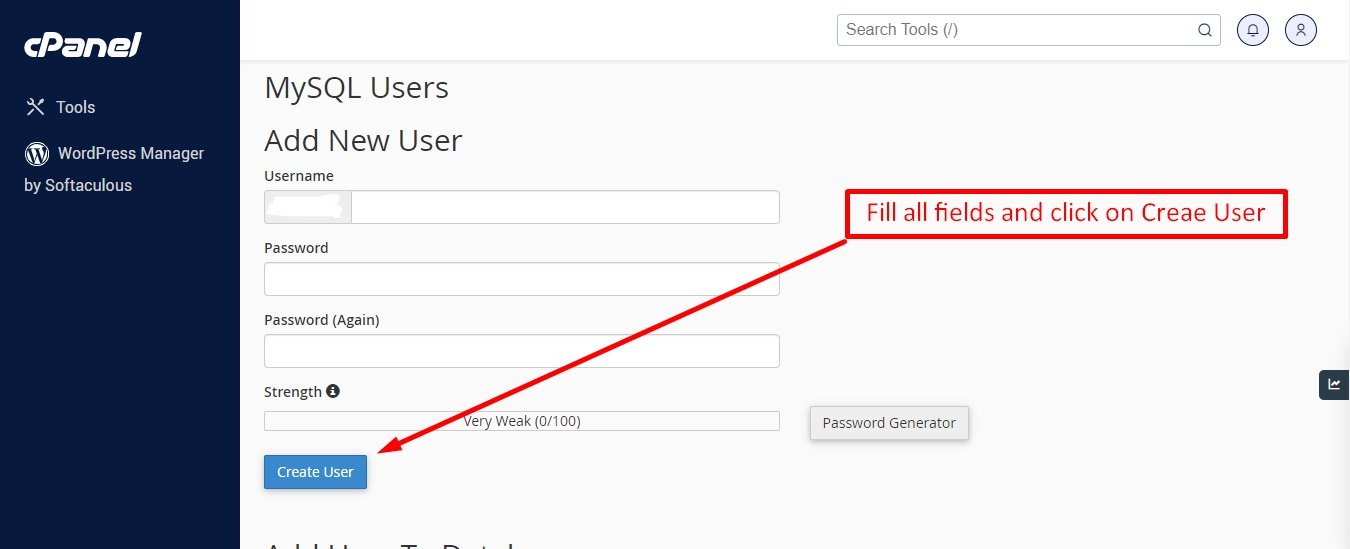
Step: 4
Now add the user to the database
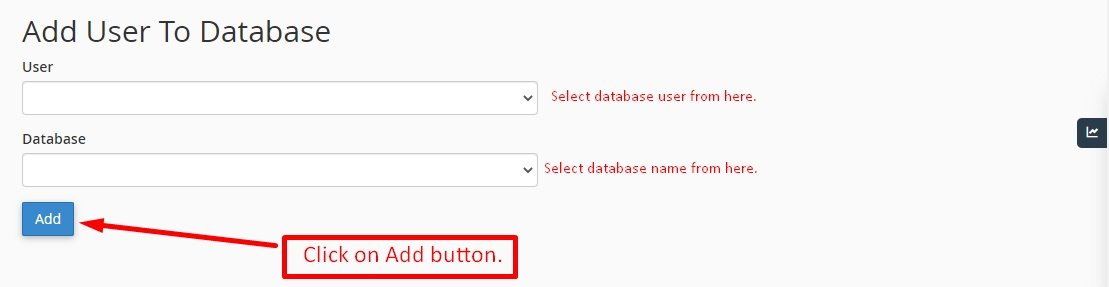
Step: 5
And select full permissions on the database to that user
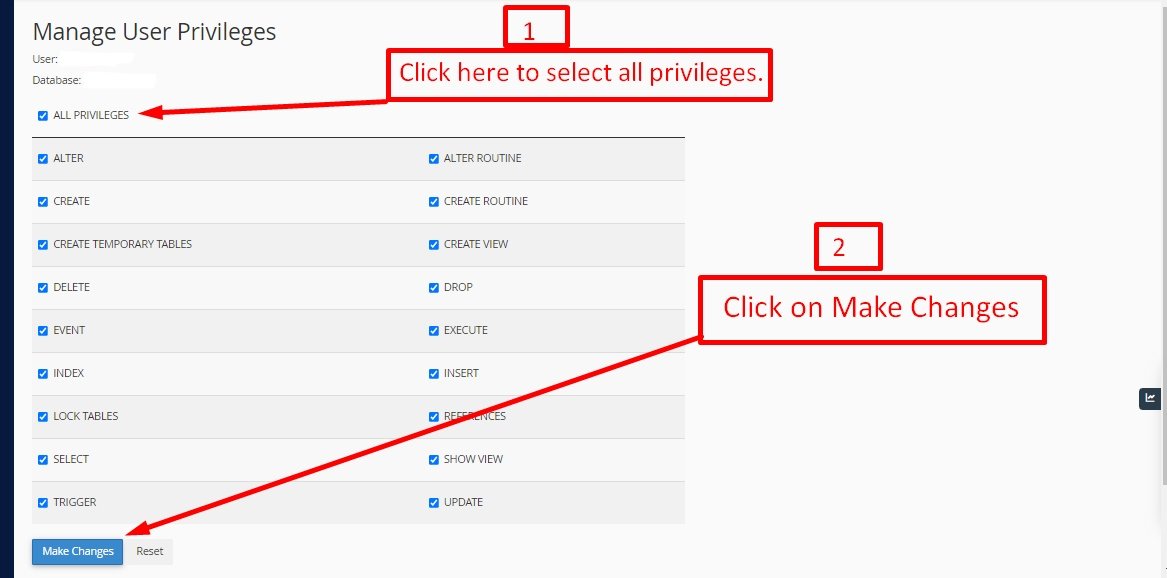
Articles in this section
- Getting Started
- Requirements
- Download Project from Envato
- Creating Database
- Uploading Files
- Installation Wizard
- Default Password
- Dashboard
- Property List
- Schedule
- Landlord List
- Tenant
- Subscription List
- Plan List
- Transaction
- Withdraw Method
- Rent Payment
- Landlord Withdraw
- Contact Message
- Income List
- Expense List
- Refund Reason List
- House Type List
- Facility List
- Amenity List
- Staff List
- Roles & Permissions
- Setting
- Contuct Us
- Mail Configuration / SMTP Setup
- Hostinger Panel
- Gmail
- Change Logs
Was this documentation helpful?
0 out of 0 found this helpful